Do we need a period after the title? Where should we place the DOI? Do we have to write “URL” or “Access mode”? And if the source is in foreign language, how do we transliterate its bibliographic description? Every scholar compiling a reference list would be familiar with these questions.
In our earlier messages in the #ITMO_Authors series, we discussed the reference managers Zotero and Mendeley. Now, we are expanding researchers’ tool list with a resource that stands out for its ease of use. If you have to get a reference list in just five minutes, MyBib is here to help.
How does MyBib work?
MyBib is an online service for automated citations and reference lists. Unlike managers like Zotero or Mendeley, MyBib does not require you to master a complex interface. It works like a "smart constructor": you enter the source data, and it generates a correct, stylistically adequate citation.
1. Add a source — by DOI, ISBN, PMID, article title, URL or manually.
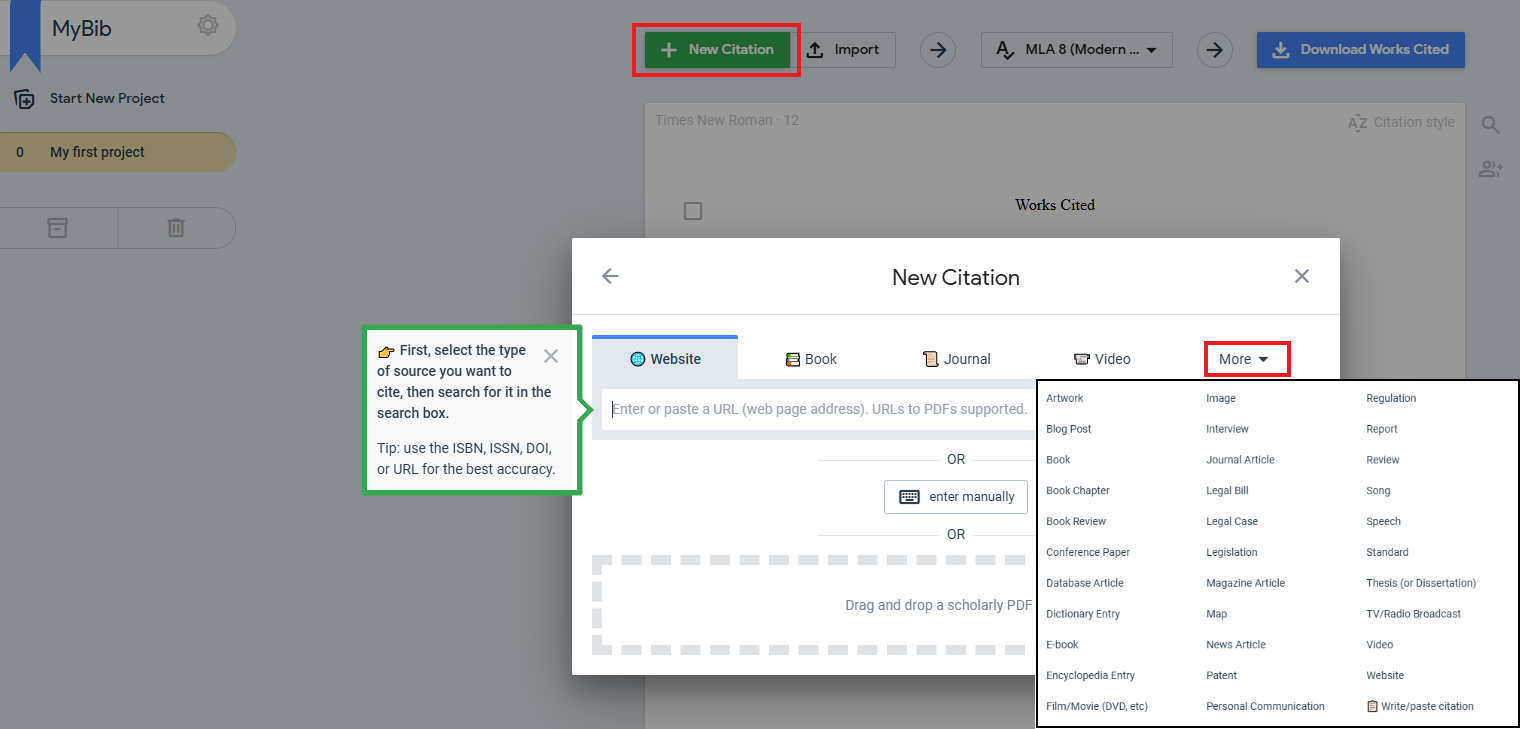
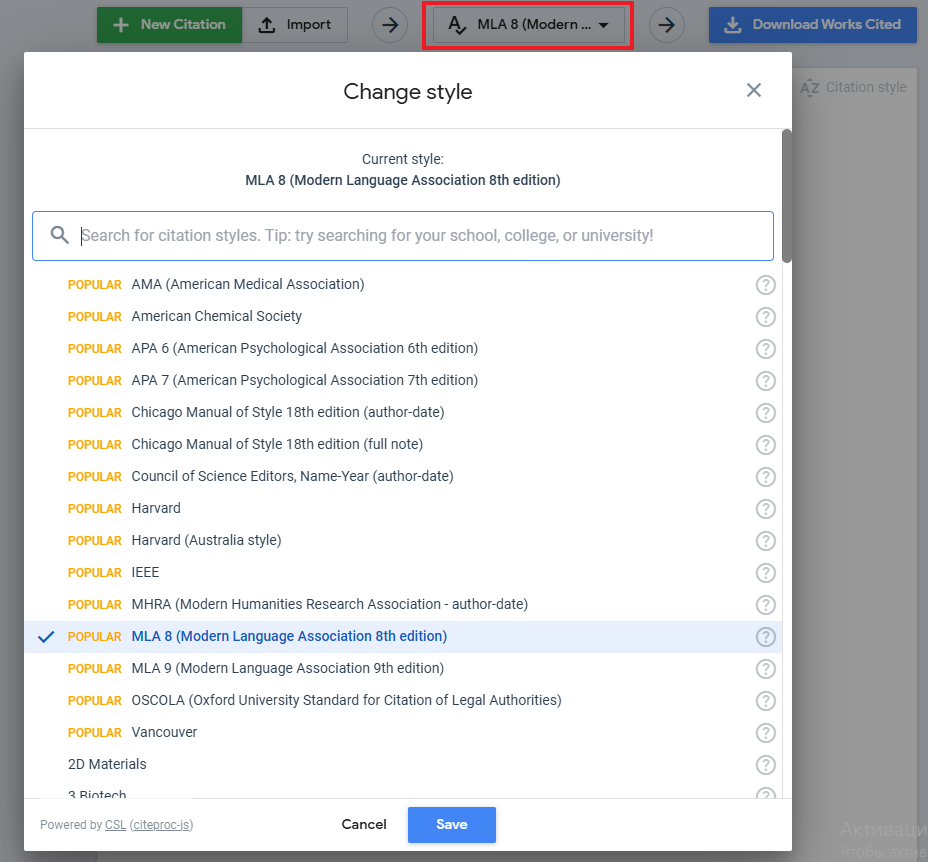
2. Choose your citation style. MyBib supports over 9,000 formats, including:
- GOST R 7.0.5–2008 and GOST 7.1–2003 for most student works in Russia.
- APA, MLA, Chicago, IEEE, Vancouver (вставить ссылку на статью о зарубежных стилях цитирования) for English-language publications, internships, international conferences
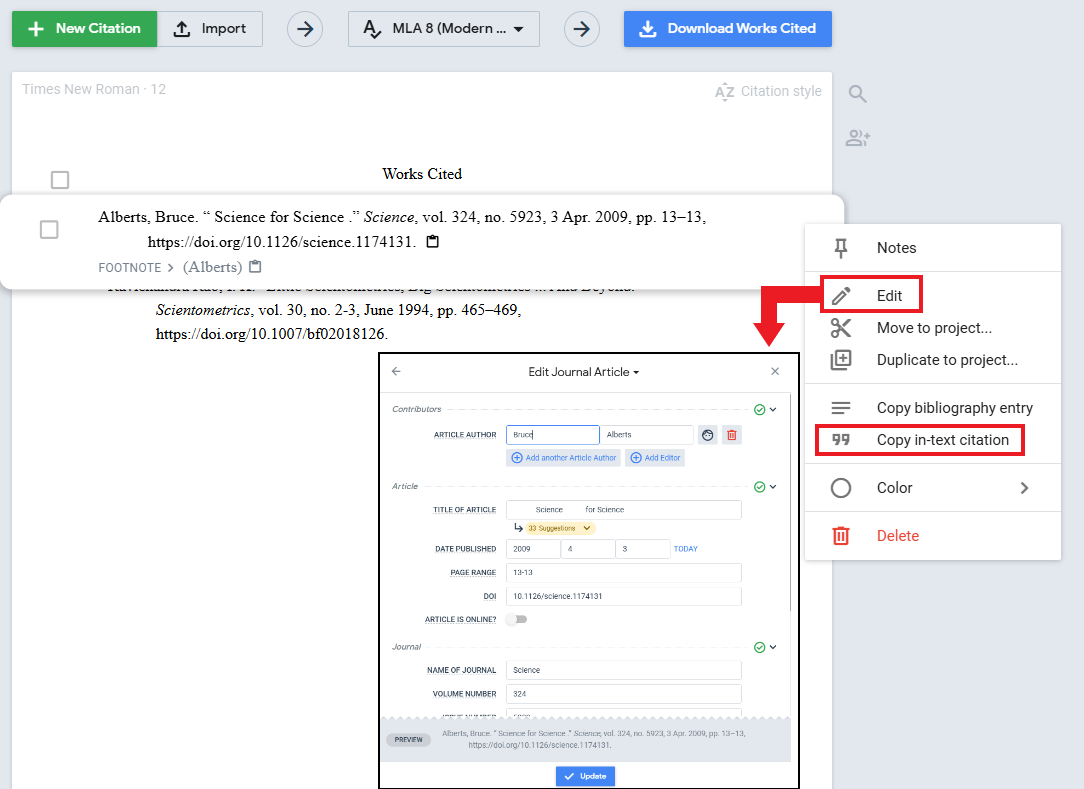
3. You can edit the generated bibliographic description and copy the in-text citation.
4. Export the result to Word (.docx), PDF, BibTeX, RIS, or copy the text from the window.
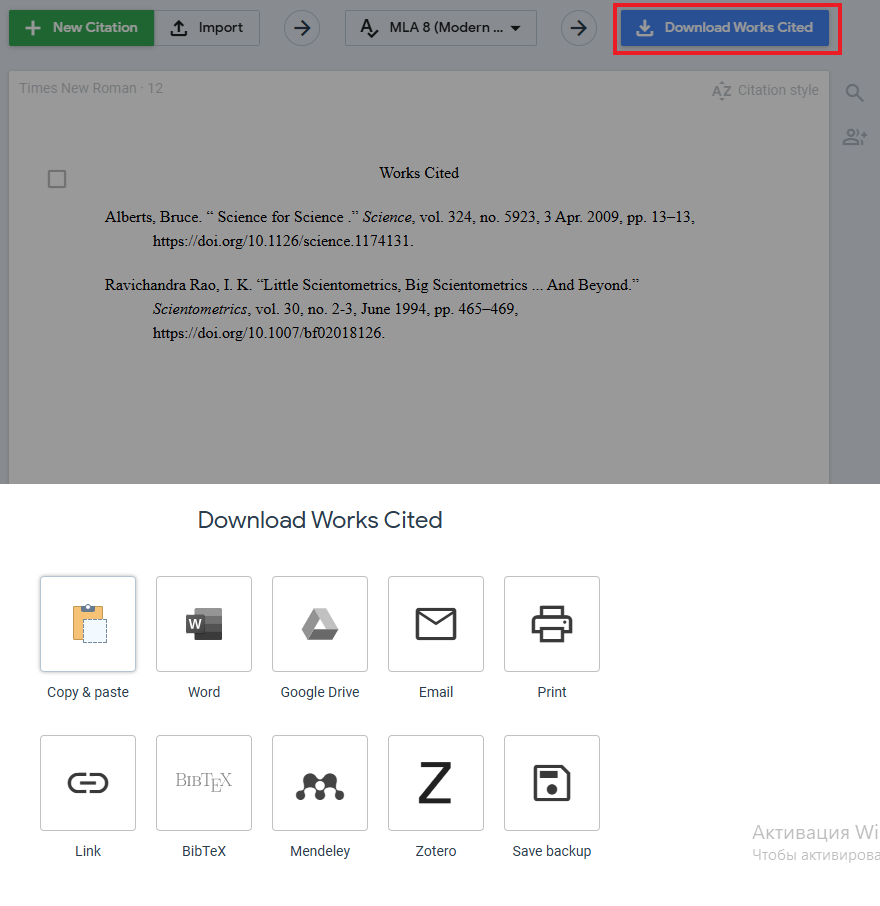
The service automatically extracts metadata (author, title, journal, year, volume, pages), normalizes the spelling of names, adds DOI/URL, and formats everything according to the selected standard.
MyBib features worth to know
MyBib offers free Pro accounts to scholars if they provide their institutional email address (@itmo.ru) when getting registered and a brief motivation description.
MyBib is an excellent tool, however, it is not a magic wand.
- Automation ≠ 100% accuracy, especially for non-English-language sources, conference proceedings, or lesser-known journals: metadata may be incomplete. Always double-check and manually correct references when needed.
- GOST has specific requirements. For instance, access date and the label “[Electronic resource]” ([Электронный ресурс]) are mandatory for online sources. MyBib generates a basic citation structure, so users still need some knowledge of bibliographic standards to ensure compliance.
- No direct Word integration (unlike Zotero). This is the trade-off for simplicity: you copy and paste the finalized reference list rather than insert dynamic citations in real time. What are the advantages? No plugins, version conflicts, or software crashes.
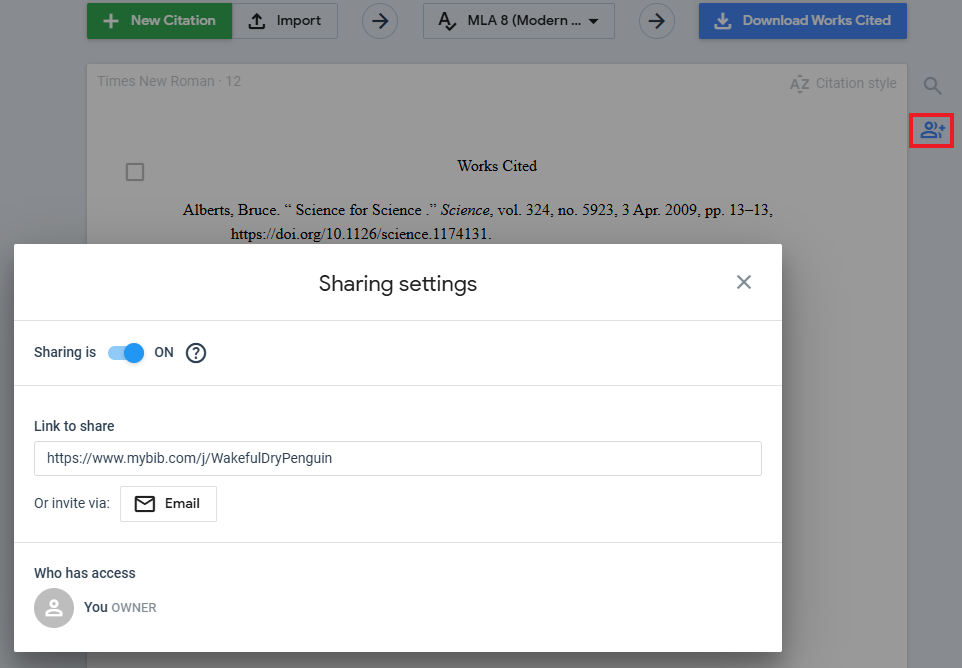
Collaboration is possible: you can create a shared project and invite colleagues via a direct link like with Google Docs.