
Google Scholar is a free tool specially created by the Google search engine for selecting academic literature for any specific purpose. The main difference between Google Scholar and other similar systems (databases, citation indexes) is that the papers with the data (metadata and full texts in PDF) available on the Internet are automatically indexed and displayed .
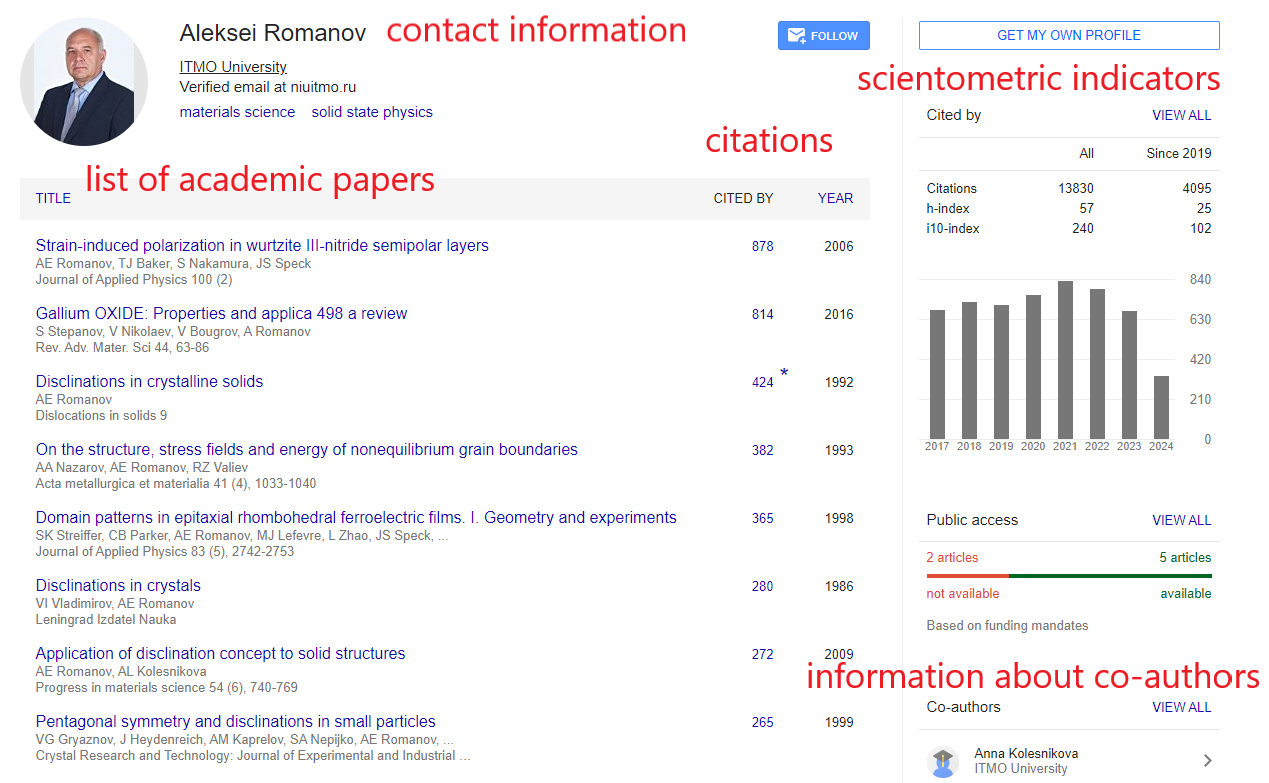
Besides searching for academic works, Google Scholar sorts them and links to the author profiles. A scholar can edit their profile and manage it like a kind of a public page where they indicate their academic interests, the list of papers with the references in each of them, as well as citation statistics for all publications indexed.
A personal page properly filled out provides the scholar with a response from their colleagues who may be interested in their works and could cite them. Thus, the registration in Google Scholar is essential for the visiability in the information space of the international academic community.
How to register in the Google Scholar system?
- You have to be a Google user. Please log in to your account or create a new one. A step-by-step guide is available here.
- Then refer to the Google Scholar page, in the upper right corner you will see your login (usually this is an email address @gmail.com). In the menu at the top of the main page, click on the link "My Profile" or refer to the settings via the direct link here.
- The form is shown below. You enter your full name (be sure to correctly indicate your affiliation) and your email in the @itmo.ru domain (for ITMO users).
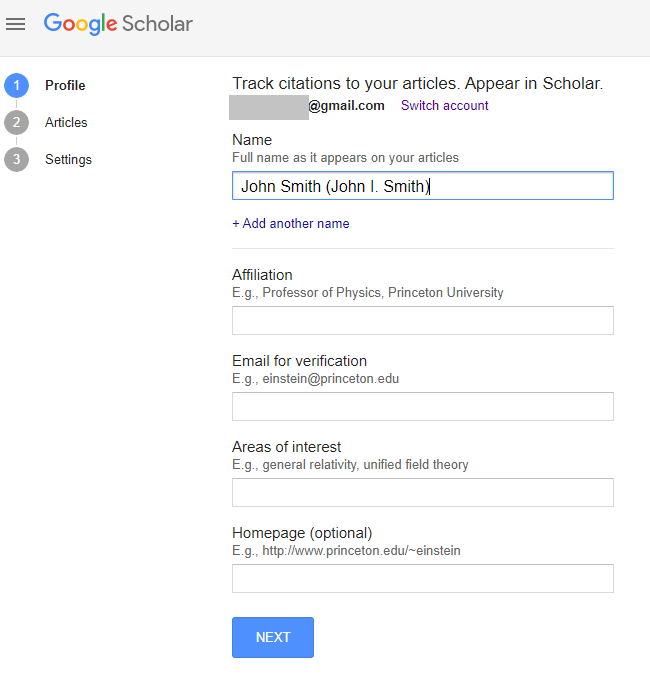
Please note that indicating your personal address in the university's corporate email is a mandatory step for your page to be displayed in the list of pages of university affiliated authors (for example,for queries based on the university name).
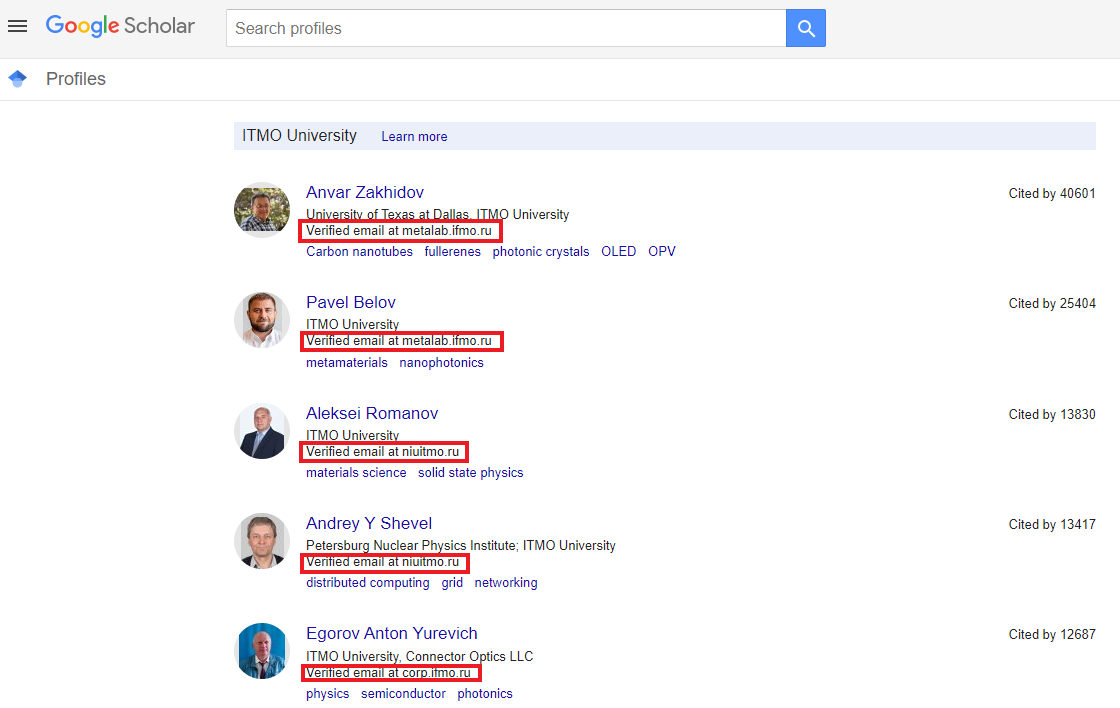
When you have filled out the form and clicked "Next", you will receive an automatic email from Google Scholar to confirm the address indicated.
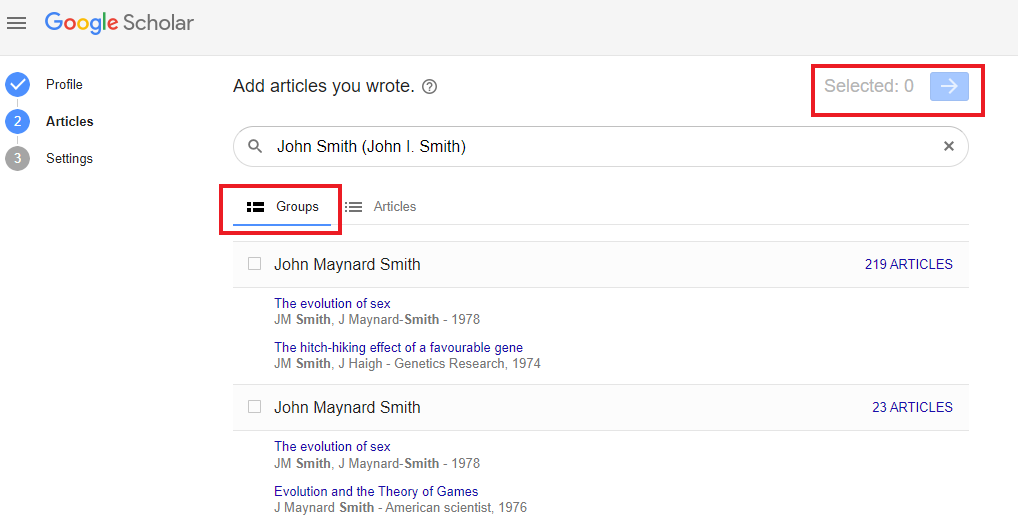
- Google will automatically find the papers that you may have authored. Please note that the search results may include articles from other authors with a similar name.
On the next page you will see individual articles as well as groups of articles, united by similar author names. Add all your works to your profile by checking the appropriate box. If you have used different names for publications, you may have to repeat your search several times to add all your articles. The search can be based on the last name or on the publication title.
- When you have added the articles, the system will offer you to choose how to have your Google Scholar profile updated. You can have the information updated automatically,or else you may want to check the possible changes first . Certainly, you can always refer to your profile and make changes manually.
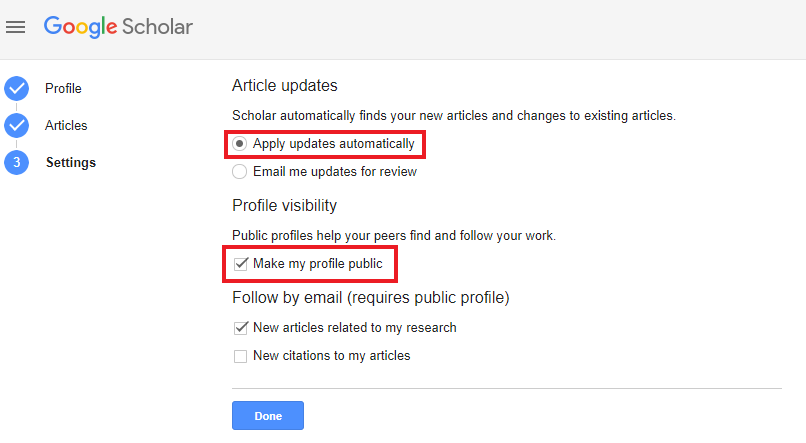
- So, now you can see your profile in Google Scholar! You can add the finishing touches: upload a photo, make your profile public, and provide a link to your personal page. When someone searches by your name, they will see your profile in Google Scholar.
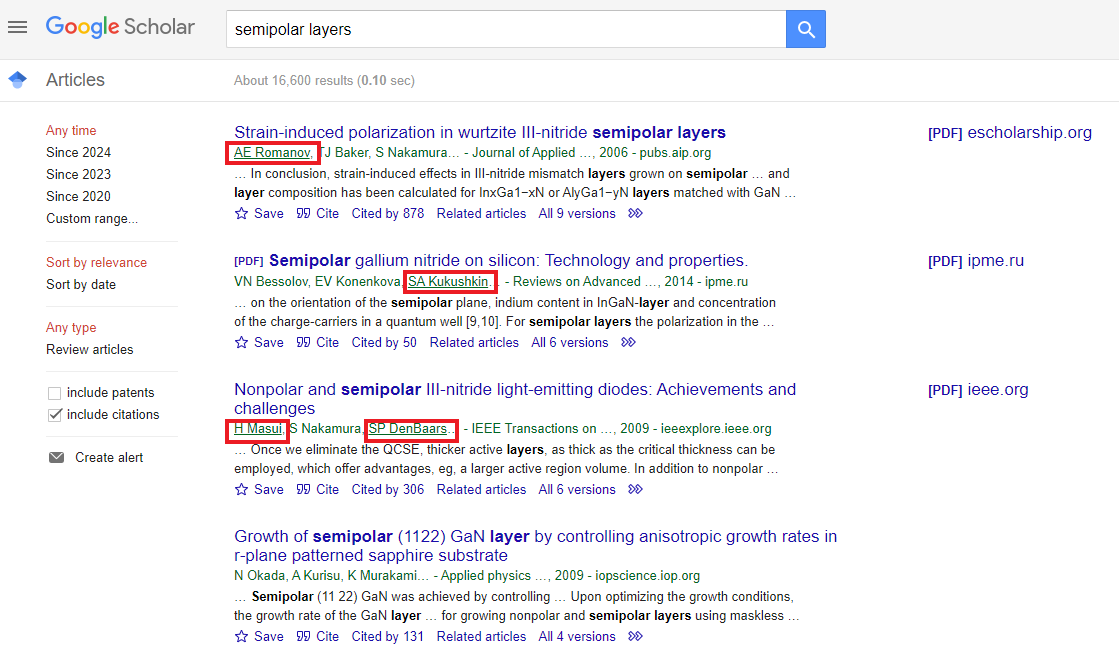
When you search for an article,7 the authors with Google Scholar profiles appear as links. Click on these links to see their personal pages.
How to work with the author's profile
The author's profile on Google Scholar is equipped with an intuitive control panel that:
- edits the list of works, including adding those recently published;
- creates a list of links to the articles published;
- receives the data on scientometric indicators;
- automatically receives notifications about new papers.
You can add articles by clicking on the “+” in your profile. A drop-down menu will appear where you can select one of the following actions.
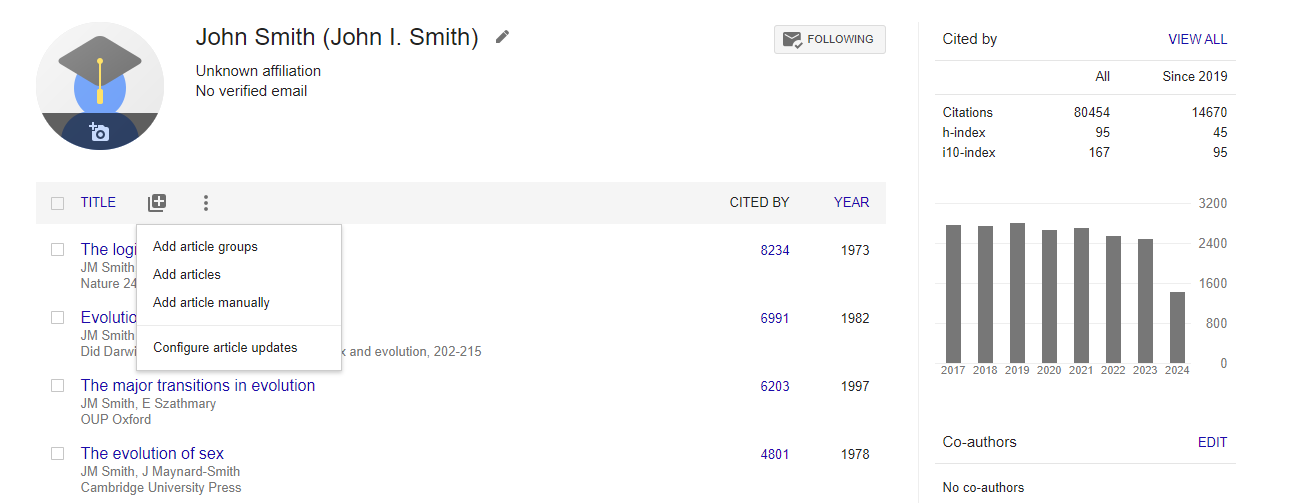
When you have added a document manually, you have to enter the information about the paper and eventually about the publication source. Please note that citation data for manually added articles may not appear in your profile immediately, this can take several days.
You can find more information about the author's profile in Google Scholar on the platform's website. As for working with the Google Scholar search engine, we recommend you reading our earlier message.
We have also written earlier about creating and managing author’s profiles in academic networks and databases including ORCID, RSCI, Web of Science and Scopus.