

The current research landscape is vast and not easy to navigate. Fortunately, AI assistants are there to help. Meet Elicit, one of the most popular tools for academic work.
This AI-powered assistant automates routine stages of the research process: from searching for relevant publications to analyzing and summarizing their content. It enables scholars to focus on creative tasks, saving time and increasing research efficiency.
On the Elicit’s webpage, you will find the five steps to get started with your research:
- Find Papers (ссылка на блок текста) — search for relevant academic articles;
- Research Report (ссылка на блок текста) — generate a structured overview of a research topic;
- Systematic Review (ссылка на блок текста)— provide a comprehensive literature review (available only in the PRO version);
- Upload and Extract (ссылка на блок текста)— upload your own documents and extract key information;
- Summarize Concepts (ссылка на блок текста) — get concise summaries of research concepts based on available literature.
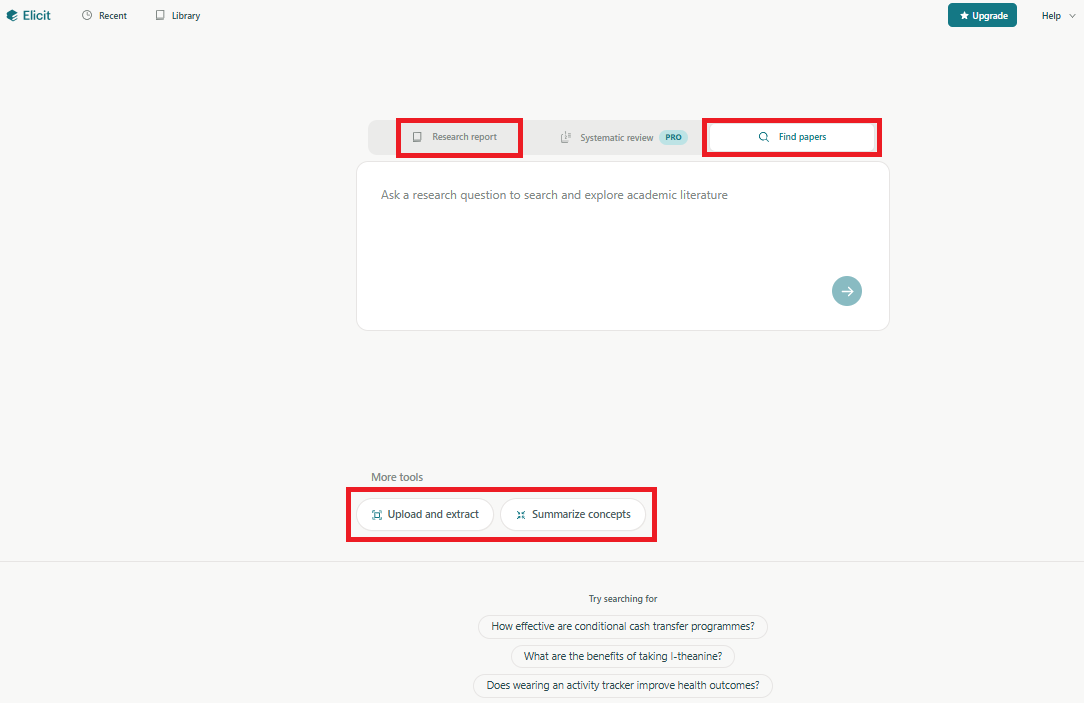
The choice of the tool depends on several factors: the current stage of your research, how much control and interaction you want in terms of the process and results, and the specific data or insights you aim to obtain.
In the message below, we will take a detailed look at each of the available ways to work with the platform. To gain access to all features of the free version, you have to be registered.
Find papers
Elicit searches across more than 126 million scientific articles from the Semantic Scholar database, covering a wide range of academic fields. New papers appear in the system every week.
Elicit's database includes as open-access papers as the subscribed content. When adding columns in the platform interface, Elicit generates responses based on the full text of an article when it is available free of charge, or if you are both subscribed and have the Elicit browser extension installed. Otherwise, the analysis is provided based only on the abstract.
Please note that Elicit finds only scientific papers or articles from arXiv, bioRxiv, and other preprint archives.
Document search is available both in the free and fee-paid versions of Elicit. The core features of the platform are : creating tables, adding columns, applying filters, using the chat.
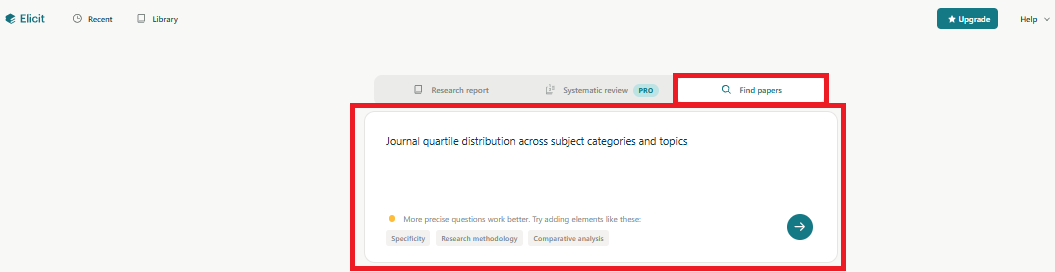
The Find Papers tool provides scientific publications relevant to your research question. Using Elicit’s semantic search system, you can enter a query in a natural language. The platform will identify the relevant articles by understanding the implication of your query, rather than relying on exact keyword matches.
1.Formulate your question and start the search - Elicit will select the most suitable materials.
2.Elicit will automatically generate summaries of the four most relevant articles on your topic and provide a table containing the key data about these papers.
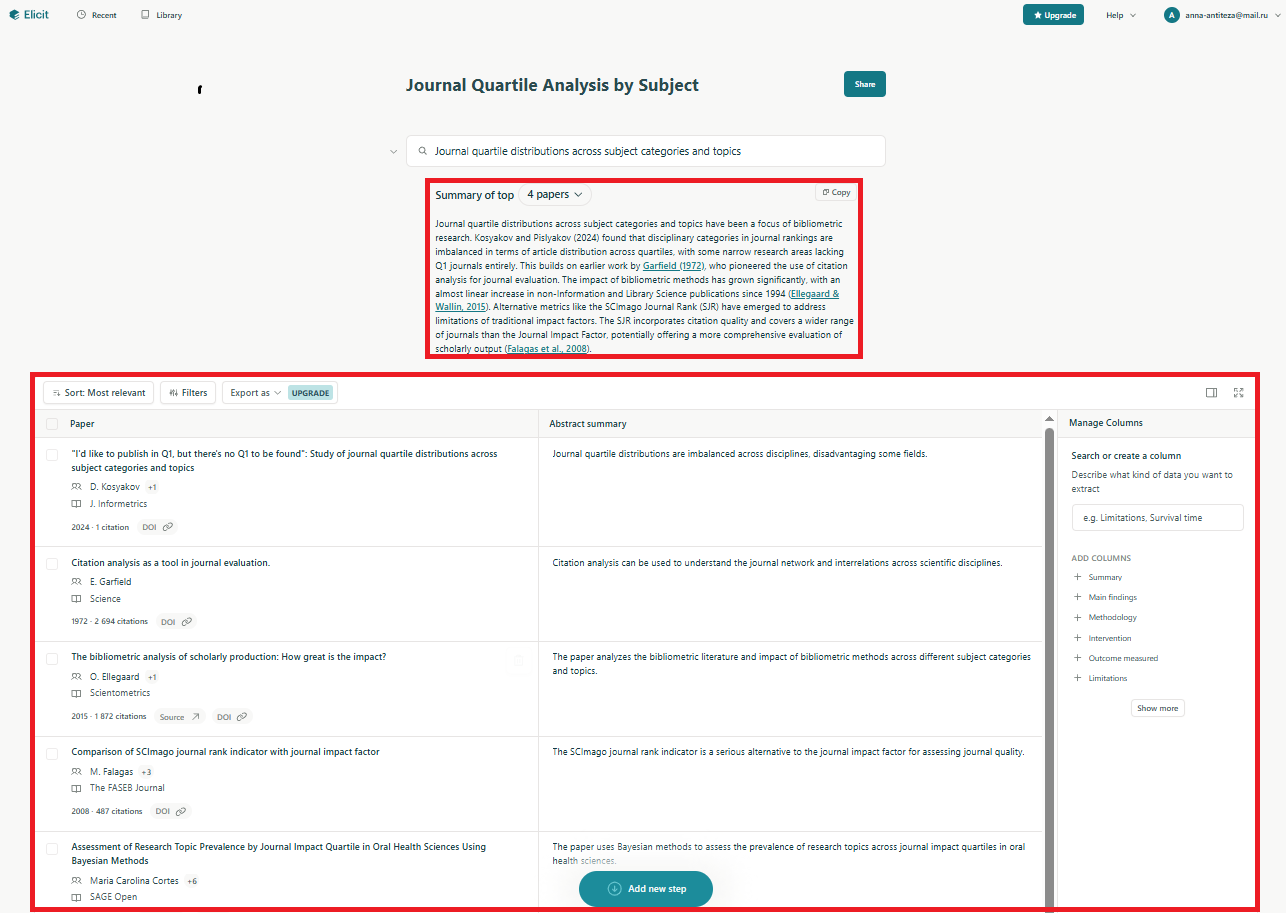
3.In the above table, you can add the columns from the library service (located on the right) to deepen the analysis of articles.
You can also:
- create your own columns;
- filter results by various criteria;
- download additional works;
- search across reference list;
- add new research steps as lines at the bottom of the table.
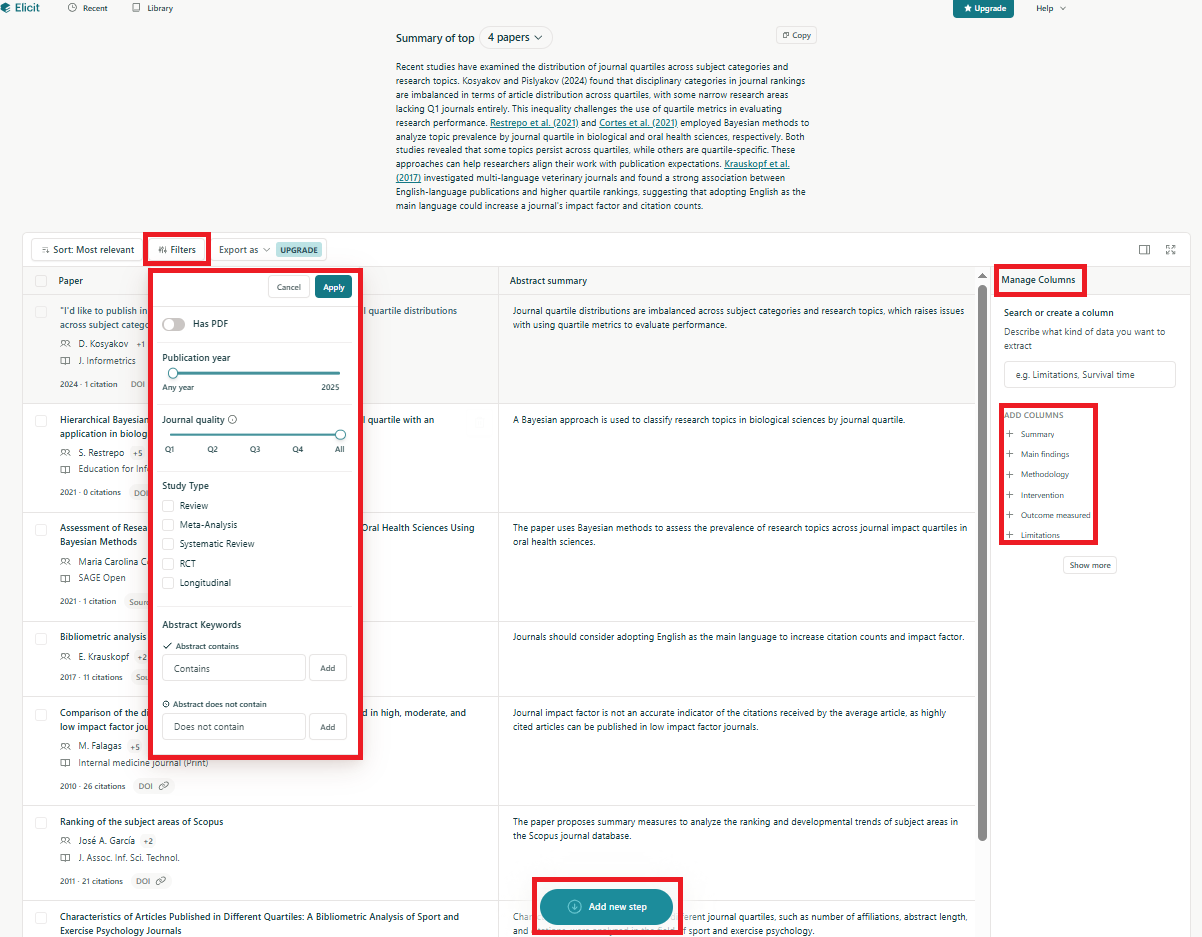
To improve the accuracy of your search, please, follow these recommendations:
- rephrase your research question or add key terms to make it more specific;
- filter by publication year;
- filter by columns;
- adjust analysis parameters.
These tools will efficiently manage the search results and find the publications that will be essential for your research.
Research Report
With the Research Report tool, you can enter your research question, and Elicit will automatically generate a detailed answer. If your question is not accurately formulated, the service will suggest a better version to increase the results relevance.
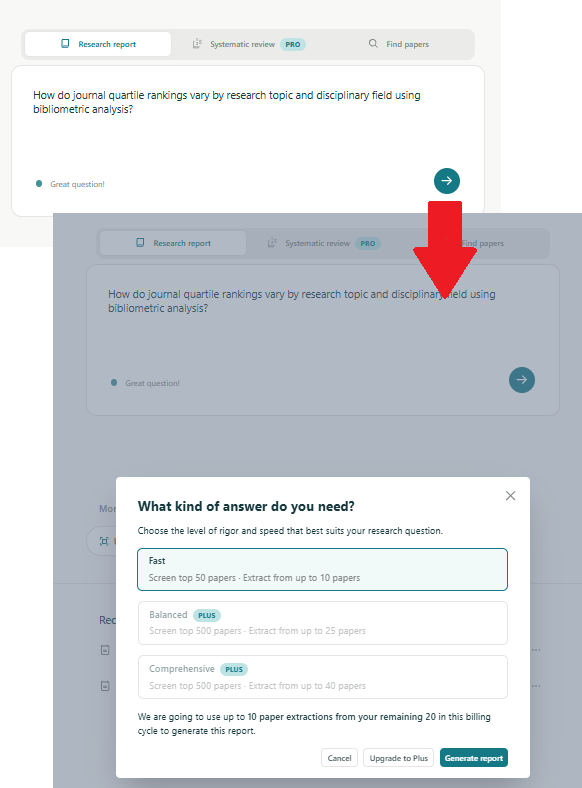
The final report can be:
- exported as PDF — the document includes the AI-generated links to the scientific articles used, and a detailed description of the methodology;
- shared with colleagues;
- clarified in the chat window — you will be able to ask any question without leaving the interface.
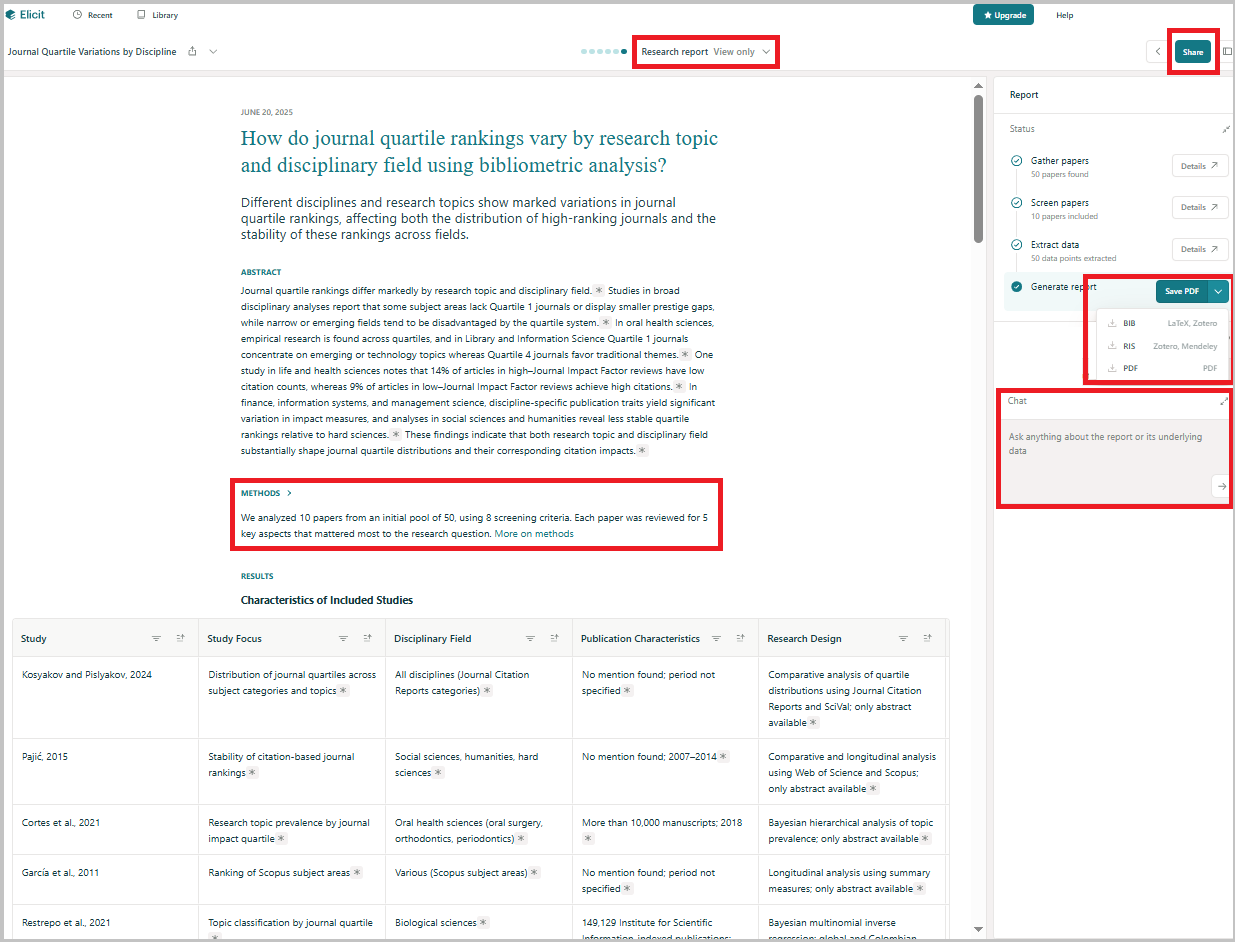
Research Report is an effective tool for obtaining an informative overview of your research topic. It forms an initial understanding of the subject and serves as a solid starting point for further in-depth analysis. For more details on how to create reports, you can refer to the platform website.
Please note that data extraction limits depend on your subscription plan.
We can also recommend the guide on how to properly use Elicit's results in your own publications.
Upload and Extract
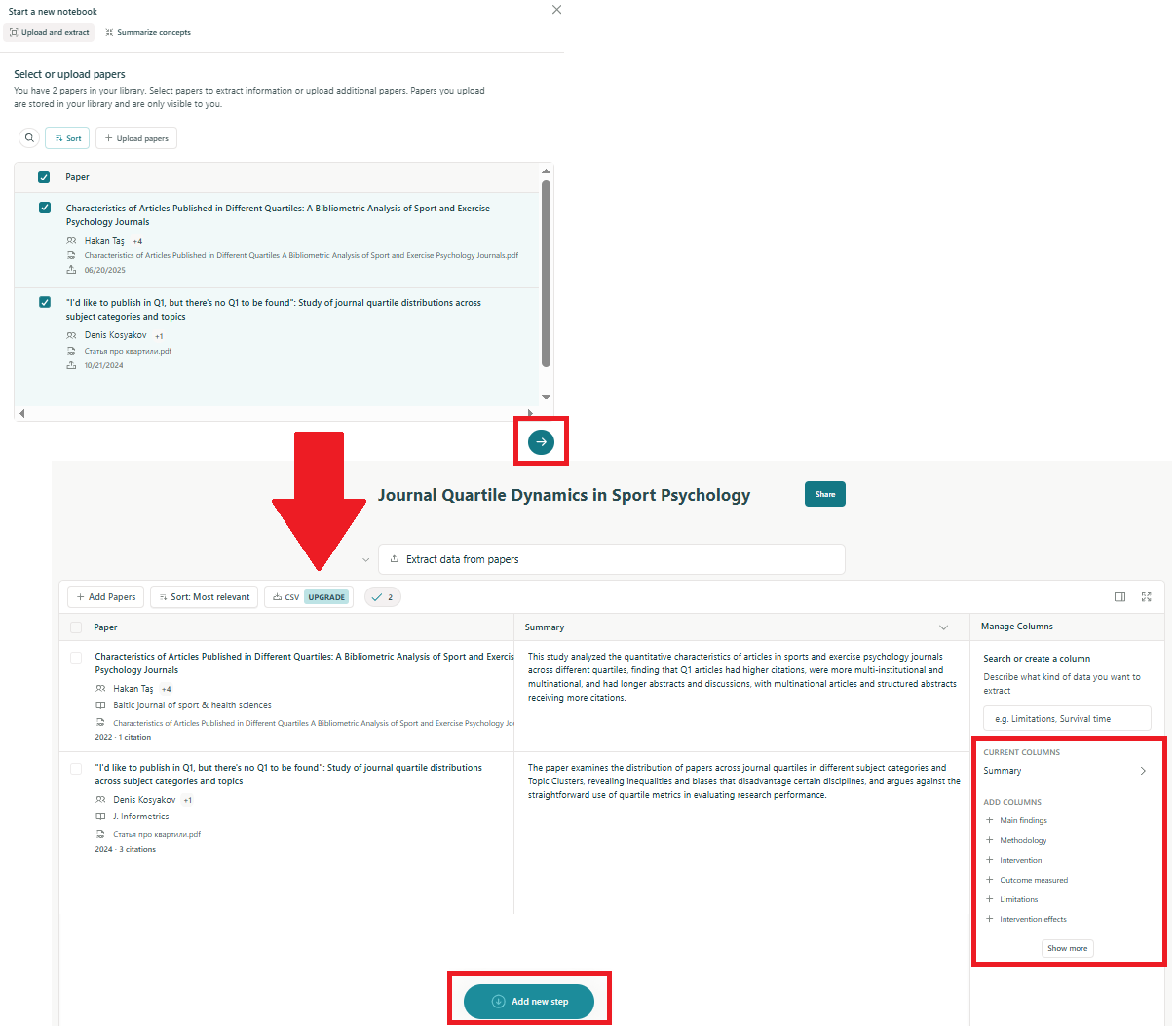
The Upload and Extract feature is useful if you already have PDF documents and want to provide a table for working with them. Just upload the files or select them from your library.
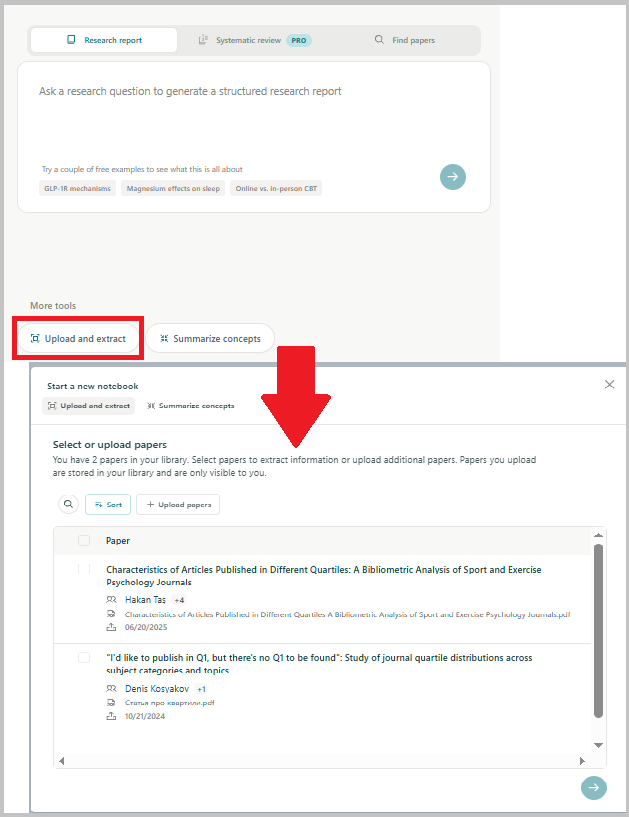
Elicit will automatically generate a table from these articles, which you can then use for your research , for summarizing information, or conducting an in-depth analysis of your topic. You can add new columns, perform additional steps, and even view articles within the chat interface.
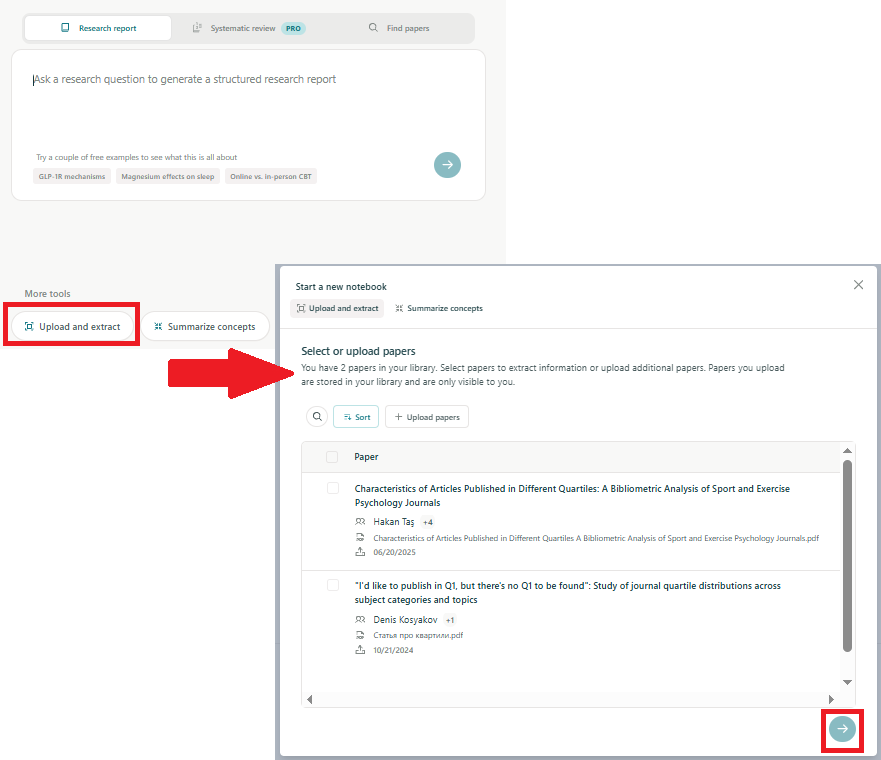
The Upload and Extract feature operates within your subscription.
If you need more information on how to extract data from PDF files, we invite you to read the messages below:
Summarize Concepts
In Elicit, the term "concepts" refers to the following elements: effects, methods, datasets, arguments, or examples.
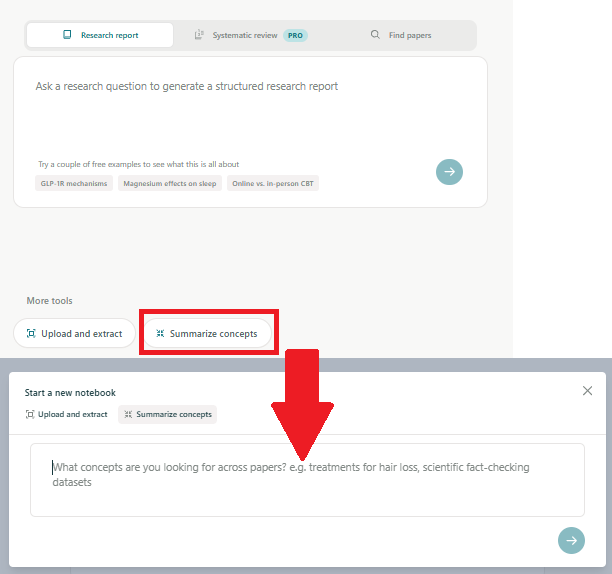
Use this feature to identify the key ideas and concepts discussed in the literature from your field.
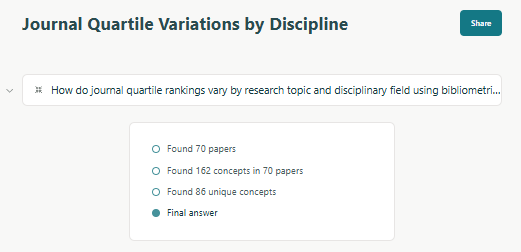
First, Elicit will find the articles related to your topic. Then, the program will analyze their content to identify common concepts. Before showing the results, the system will remove all the detected duplicates.
The table shows the concepts detected as well as the source articles. You can then continue exploring each concept in more detail.
Sometimes, instead of the article’s title in the right-hand column, you can see the label "Language model". This indicates that the corresponding concept was generated as potentially relevant rather than derived from any of the retrieved articles.
Elicit includes this content in the table and labels them for users. The latter can then independently assess its accuracy and relevance.